Data Mode
Data Mode switches Schema Builder into a dataset editor — the active JSON-LD schema governs validation of a live data document. All panels are re-purposed for data rather than schema editing.
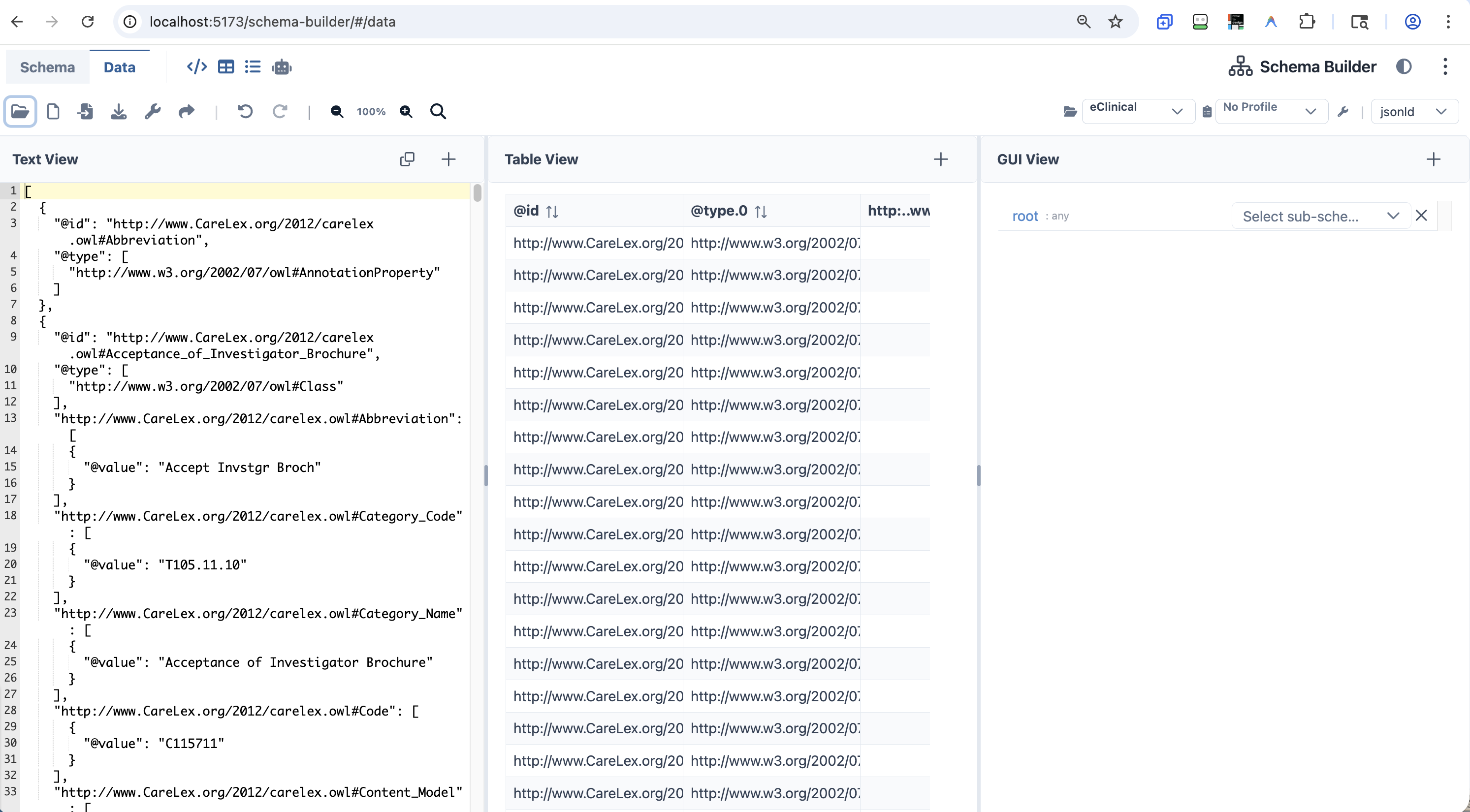 SchemaBuilder Data Mode
Data Editing Panels
| Panel | Data Mode Behavior |
|---|---|
| Text View | Edit raw JSON/YAML data with AJV validation running against the active schema |
| GUI View | Form-driven data entry governed by the schema's property definitions |
| Table View | ListAnalysisPanel.vue — detects all arrays and renders a sortable, paginated DataTable with CSV export |
| AI View | Data-specific AI operations (generate, modify, ask, export) |
Table View
The Table View auto-detects all arrays in the active document — including root-level @graph arrays in JSON-LD ontologies — and renders them as structured grids:
Source: ListAnalysisPanel.vue
- PrimeVue
DataTablewith grid lines, striped rows, sorting, and pagination - Selectable from a dropdown if the document contains multiple arrays
- Built-in CSV export of the currently displayed table
- Especially useful for browsing JSON-LD node lists (e.g. ontology class arrays)
AI View — Data Operations
The AI View routes to AiPromptsData.vue in Data Mode:
| Action | Description |
|---|---|
| Generate data | "Generate 20 patient records matching this schema" → AI produces validated JSON |
| Modify data | "Set all status fields to active" → AI applies the change |
| Ask a question | "How many records have a missing visit_date?" → AI answers |
| Export to format | "Convert this JSON to CSV" → AI reformats |
Data Import and Transform
- CSV Import — convert a CSV file to a JSON array document
- Data Mapping dialog — AI-assisted transform to align an imported dataset to the active schema's structure
- Data Export dialog — export data via a Handlebars-style text template
- Infer Schema from Data — auto-generate a JSON Schema from any loaded data document
- Drag-and-drop — drop any
.json,.jsonld,.csv, or.yamlfile onto any panel to load it - Snapshot sharing — encode the full state (schema + data) into a shareable URL
Relationship to Schema Mode
The schema authored in Schema Mode is automatically used as the governing schema in Data Mode. Any AJV validation errors in Data Mode reference the same schema structure visible in the Schema Mode panels — making it straightforward to fix schema issues and re-validate data in the same session.